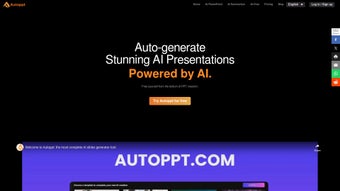

Download Autoppt – AI‑Powered Presentation & Mind‑Map Creator
Overview
Autoppt is a cloud‑based, AI‑driven application that turns a simple keyword or bullet list into a fully designed slide deck or mind‑map in seconds. The platform targets busy professionals, educators, and students who need high‑quality visuals without the steep learning curve of traditional design tools. By leveraging natural‑language processing and pre‑trained visual models, Autoppt generates slide titles, concise bullet points, relevant icons, and data‑driven charts that match the selected template’s style.
Users can switch templates with a single click, ensuring visual consistency across the entire deck while still allowing brand‑specific customisation such as logo placement, colour palettes, and custom fonts. Export options include PPTX for PowerPoint editing, PDF for easy sharing, and high‑resolution PNG/JPEG images for social media or printed handouts. In addition to presentations, the integrated mind‑map editor lets users organise ideas hierarchically, making it a one‑stop solution for brainstorming, project planning, and storytelling.
All projects are saved securely in the cloud, providing instant access from any modern browser on Windows, macOS, Android, or iOS devices. Autoppt’s free tier permits up to five projects per month, while premium plans unlock unlimited creations, advanced branding tools, and offline desktop wrappers for Windows and macOS. Continuous updates based on user feedback guarantee that the interface stays fresh, secure, and compatible with the latest operating systems.
Whether you are pitching to investors, delivering a lecture, or outlining a product roadmap, Autoppt promises to cut creation time dramatically while delivering a polished, professional finish.
Key Features & Installation Guide
- AI‑Generated Slides: Type a topic or outline and watch Autoppt instantly produce a polished deck with appropriate headings, bullet points, and visual assets.
- One‑Click Template Switching: Choose from a growing library of modern, industry‑specific templates and apply them across the entire presentation instantly.
- Multi‑Format Export: Download your work as PPTX, PDF, or PNG/JPEG for seamless sharing and printing.
- Integrated Mind‑Map Builder: Convert ideas into hierarchical mind maps with drag‑and‑drop nodes and auto‑layout algorithms.
- Cloud Storage & Sync: All projects are saved securely in the cloud, accessible from any browser on Windows, macOS, Android, or iOS.
- Real‑Time Collaboration: Invite teammates to edit, comment, and view changes instantly, with full version history.
- Secure & Private: End‑to‑end SSL/TLS encryption and AES‑256 data‑at‑rest protect your information; GDPR‑compliant policies ensure data is never sold.
- Continuous Updates: Monthly releases add new templates, improve AI accuracy, and enhance performance.
- Custom Branding: Add your logo, colour scheme, and fonts to keep presentations on‑brand.
- Responsive Design: Presentations automatically adapt to different screen sizes, ideal for webinars, on‑the‑go presentations, or large‑screen conferences.
How to Get Started – Installation & First‑Time Use
Because Autoppt is a web‑native solution, there is no traditional installation process. Follow these steps to start creating immediately:
- Create an Account: Visit autoppt.com and click “Sign Up.” Register with an email address, Google, or Microsoft account. The free tier grants up to five projects per month.
- Verify Your Email: Click the verification link sent to your inbox to activate the account and unlock the dashboard.
- Select a Project Type: From the dashboard, choose “New Presentation” or “New Mind Map.” For presentations, enter a topic, a few keywords, or a short outline.
- Generate Content: Press “Generate.” The AI analyses your input and creates a complete slide deck or mind‑map, complete with suggested titles, bullet points, icons, and charts.
- Refine & Customize: Use the intuitive editor to edit text, replace images, rearrange slides or nodes, and switch templates with a single click.
- Export or Share: Click “Export” to download PPTX, PDF, or image files. Alternatively, share a live link that lets collaborators view the project in their browsers without downloading.
- Save to Cloud: All changes are automatically saved to your Autoppt workspace, ensuring instant access from any device.
For users who prefer a native feel, the premium plan offers a lightweight Electron‑based desktop wrapper for Windows and macOS. This wrapper launches the web app in a dedicated window and provides offline access to previously saved projects, while still receiving automatic updates for AI models and security patches.
Compatibility, Pros & Cons, and Frequently Asked Questions
Autoppt runs in any modern browser, including Chrome, Edge, Firefox, Safari, and Opera. This responsive web design ensures full functionality on Windows 10/11, macOS Monterey and later, Android 9+, and iOS 13+. The optional desktop wrapper expands the experience for Windows and macOS users who want a dedicated app window, but no heavy system requirements are needed, making it suitable for older laptops or low‑spec devices.
Pros
- AI‑generated slides cut creation time by up to 80 %.
- One‑click template switching guarantees a consistent, modern look.
- Multiple export formats ensure compatibility with PowerPoint, Google Slides, and print workflows.
- Integrated mind‑map tool consolidates brainstorming and presentation tasks.
- Secure cloud storage with GDPR compliance protects user data.
- Generous free tier and scalable premium plans for individuals and teams.
- Continuous monthly updates introduce new templates and AI improvements.
Cons
- Full functionality requires an internet connection; offline mode is limited to the desktop wrapper.
- Advanced branding features (custom fonts, extensive colour palettes) are reserved for paid plans.
- AI may occasionally produce generic phrasing that needs manual tweaking.
- Exporting very large presentations (>200 slides) can be slower on weak connections.
Frequently Asked Questions
Is Autoppt free to use?
Yes. Autoppt offers a free tier that allows up to five projects per month with access to basic templates and standard export formats. Paid plans start at $9.99 / month for unlimited projects, premium branding, and priority support.
Can I export a presentation directly to PowerPoint?
Absolutely. Autoppt generates PPTX files that retain all layouts, images, and animations, making them fully compatible with Microsoft PowerPoint, Google Slides (via import), and LibreOffice Impress.
How secure is my data on Autoppt?
Security is a top priority. Autoppt uses SSL/TLS encryption for data in transit and AES‑256 encryption at rest. The platform complies with GDPR, and users can permanently delete projects from cloud storage at any time.
Do I need to install any software?
No installation is required for the web version—simply log in through a supported browser. Premium users can optionally download a lightweight desktop wrapper for Windows or macOS to enjoy offline access.
Can I collaborate with team members in real time?
Yes. Autoppt’s collaboration mode lets you invite teammates via email. They can edit, comment, and view changes instantly, with full version history tracked for every slide and mind‑map node.
Conclusion & Call to Action
Autoppt delivers a compelling blend of AI‑driven automation, flexible design tools, and secure cloud storage that makes presentation creation faster and more accessible than ever. The platform’s ability to generate polished slides and mind maps from a single prompt saves valuable time, while the extensive template library and branding options ensure professional quality. Compatibility across all major operating systems and browsers, combined with real‑time collaboration, positions Autoppt as a versatile solution for individuals and teams alike. Although offline functionality is limited and some advanced branding features require a subscription, the generous free tier provides enough capability for occasional users, and the premium plans are competitively priced for power users. If you’re looking to streamline your workflow, reduce design fatigue, and produce compelling visual content with minimal effort, Autoppt is worth a try.
Download Autoppt today, start your first free project, and experience how AI can transform a simple idea into a polished presentation or mind map in seconds. Take advantage of the secure, continuously updated platform and let your ideas shine.



.png)



